Enhancing App Security
Designing the user authentication experience for better security & usability.
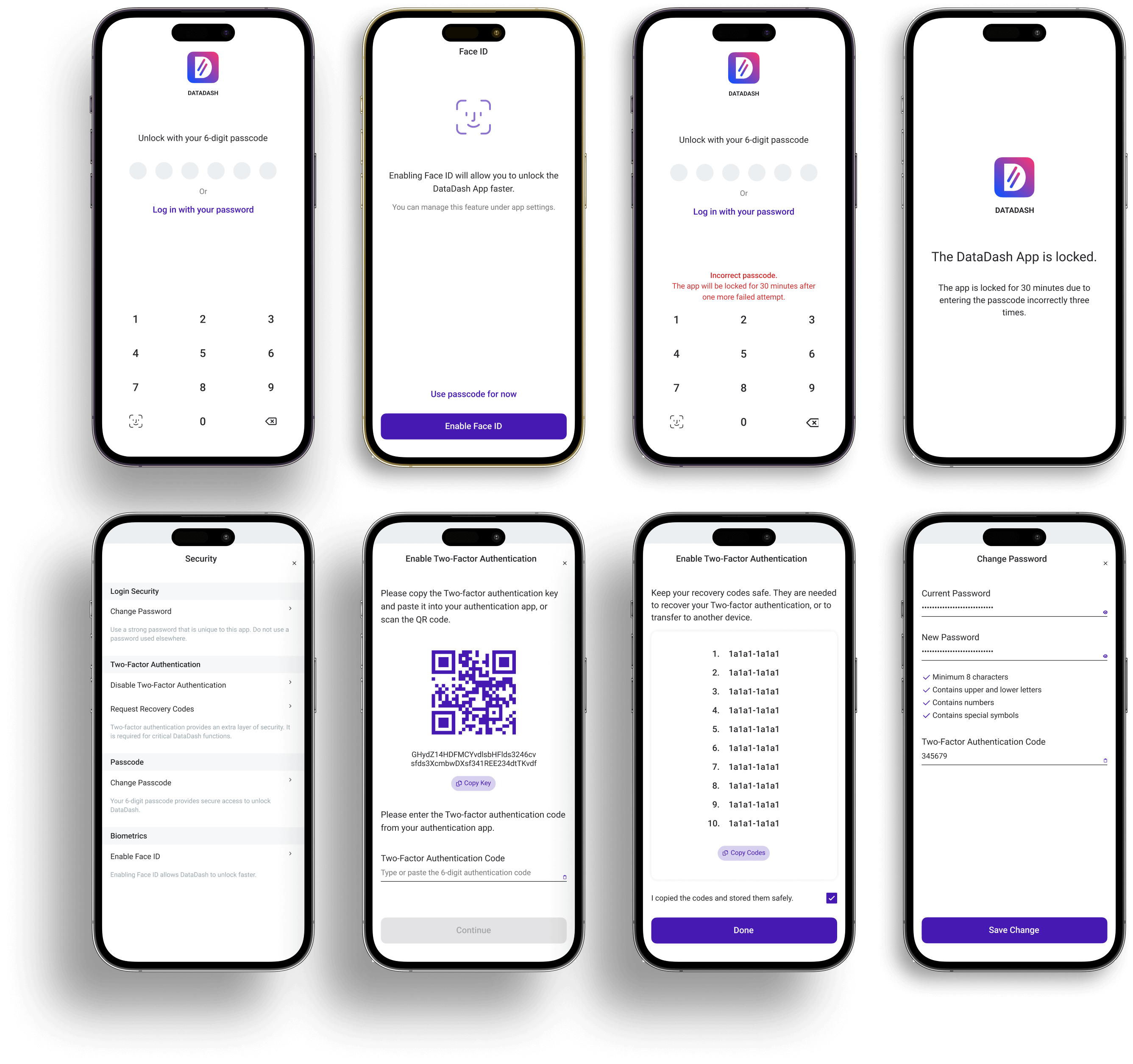
Overview
Security is a fundamental aspect of any digital experience, yet it often comes at the cost of usability. The goal of this project was to enhance app security without compromising user experience: ensuring a seamless yet secure authentication flow.
Key improvements
- ✔ Streamlined onboarding: a step-by-step signup that integrates security without friction
- ✔ Multi-layered security options: passcodes, biometrics, and 2FA
- ✔ Clearer security settings: simplified controls for easy updates
- ✔ Improved account recovery: more intuitive password reset and recovery flows
The problem
Many users struggle with complex security processes, leading to:
- Weak passwords due to frustration with complex requirements
- High dropout rates during 2FA and biometric setup
- Inconsistent security configurations, making protection levels hard to manage
We identified that security measures need to be both strong and user-friendly.
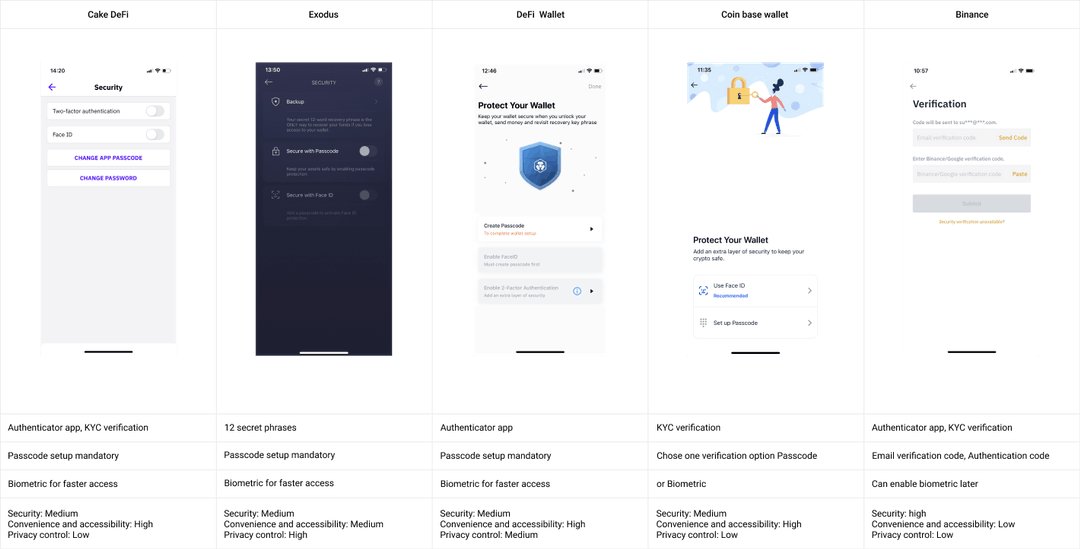
Research & competitor analysis
Our research focused on how other apps handle authentication, comparing key factors like:
- Ease of signup: How quickly users can create an account
- Security layers: The types of authentication methods provided
- Recovery options: The flexibility in account recovery
By analyzing leading security-focused apps, we refined our approach to balance security and usability.

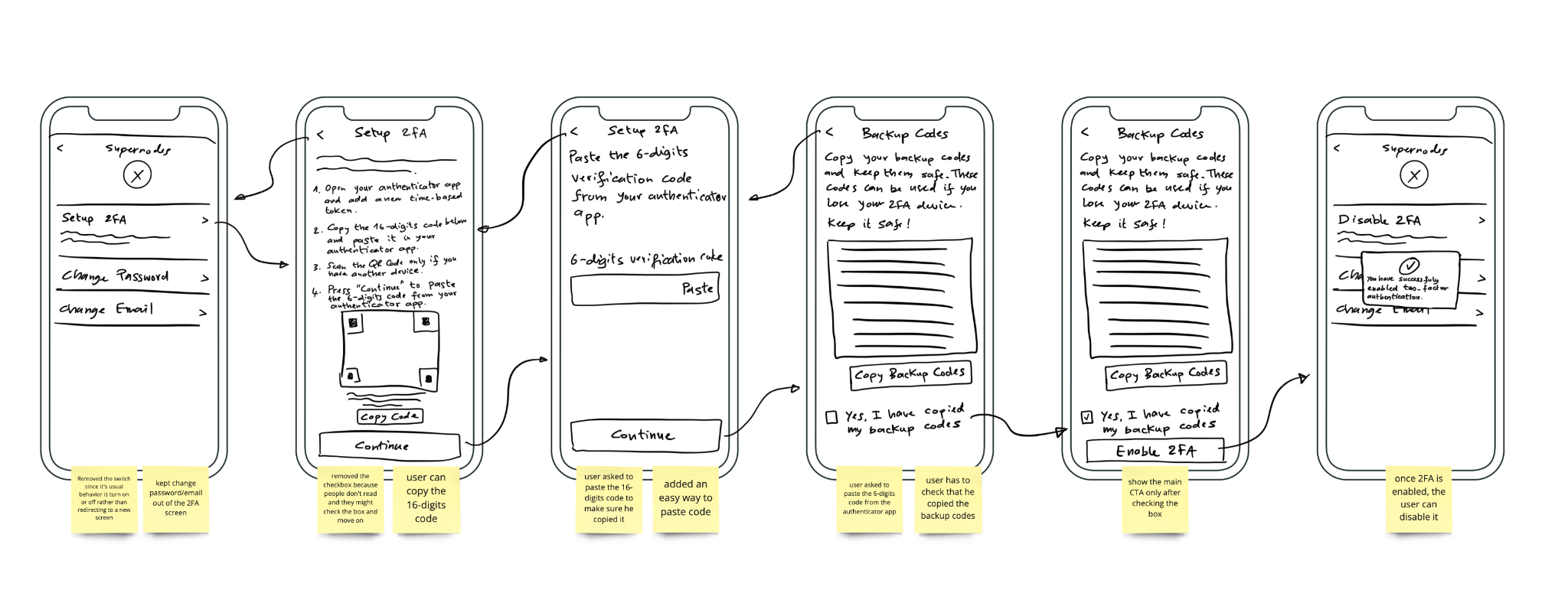
Quick wireframe session
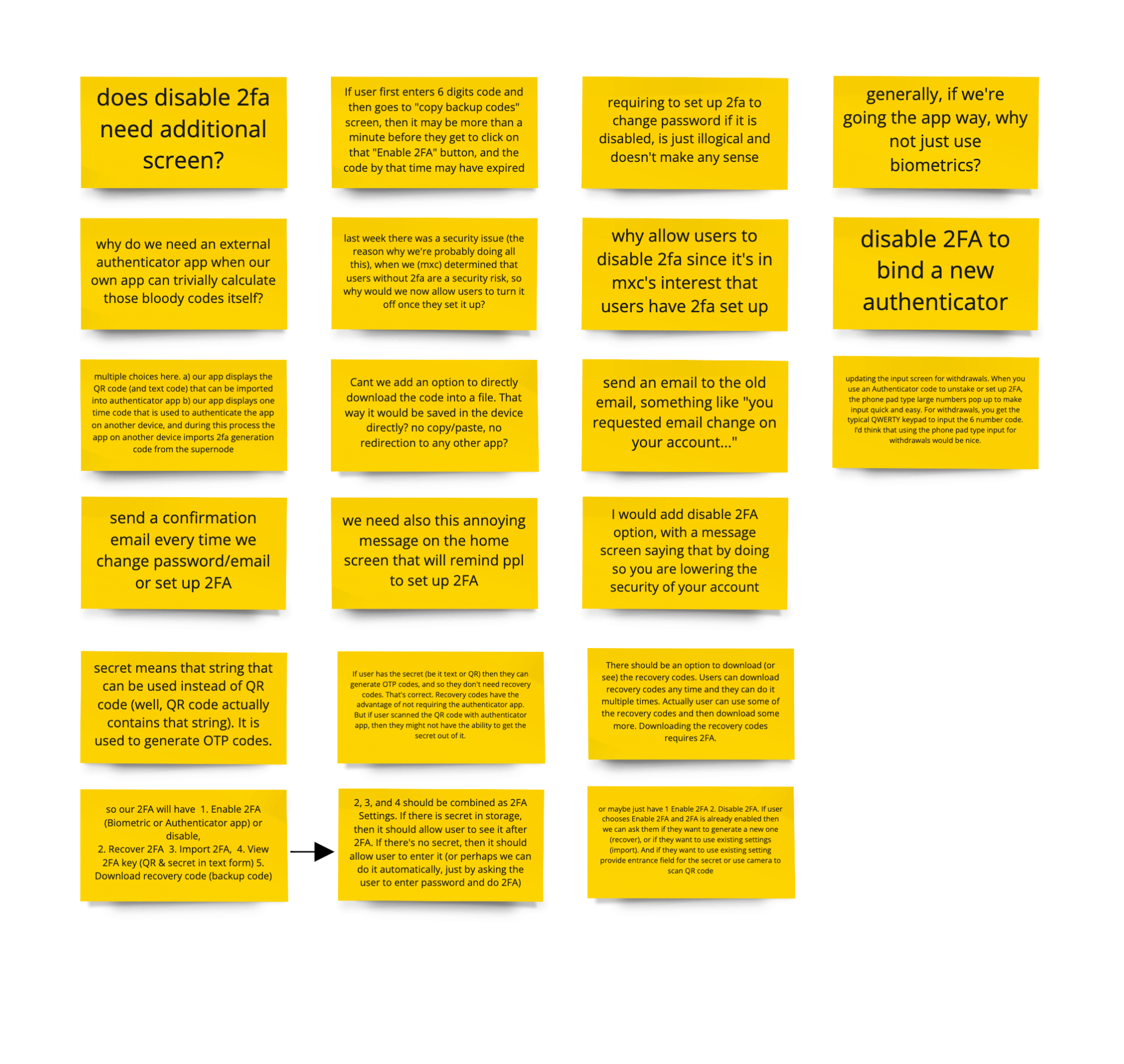
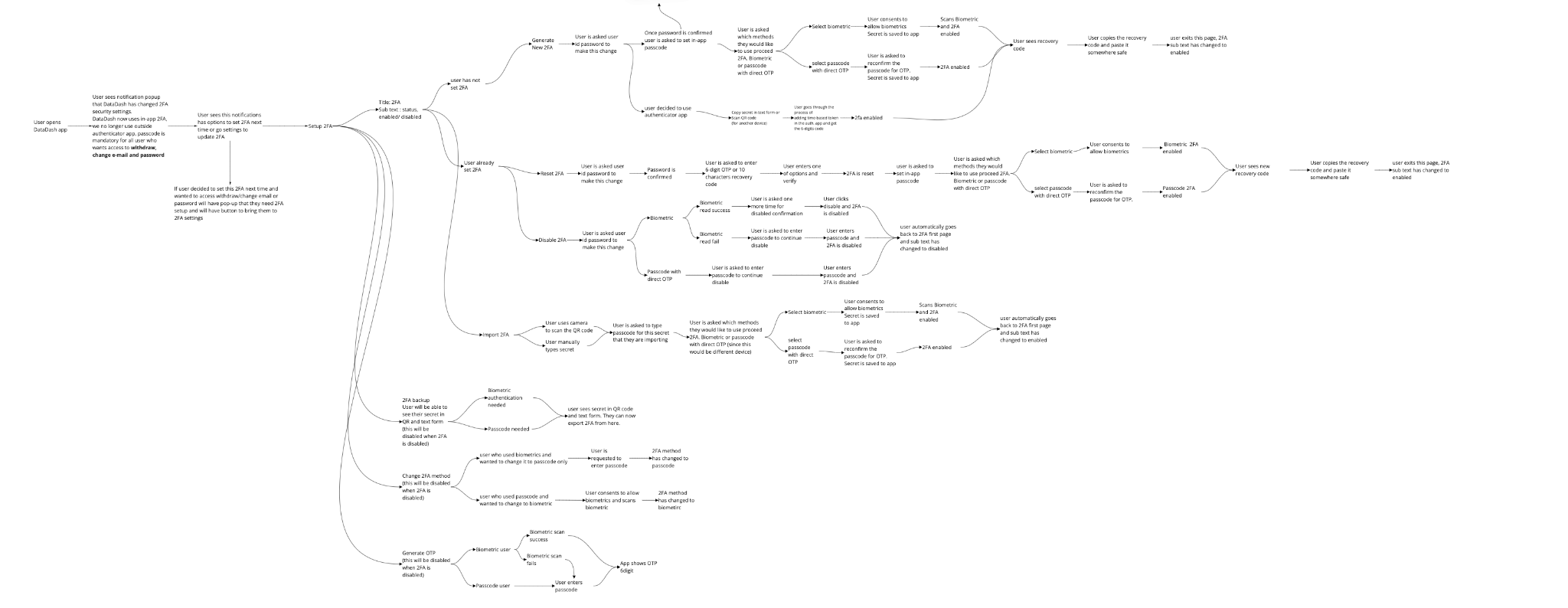
Created initial sketches to visualize the 2FA flow and gathered feedback from the team. Addressed concerns such as onboarding complexity and reducing friction for existing users.
User flow & key design decisions
To simplify the process, we structured authentication into clear, guided steps:
🔹 Signup & authentication steps
- Create account: Minimal friction with progressive disclosure for security settings
- Set passcode: Encouraging strong but memorable passwords
- Enable biometrics: Optional step for quick but secure access
- Two-Factor Authentication (2FA): Seamless integration without disrupting the flow
These steps ensure users progressively enhance security while maintaining a smooth onboarding experience.
Final design highlights
- ✔ Step-by-step authentication makes security setup seamless
- ✔ Flexible biometric and passcode options provide personalized security
- ✔ Streamlined security updates make managing protection intuitive
- ✔ Improved password recovery reduces friction for locked-out users
Design outcome
We didn’t just aim to add security. We designed a secure experience that felt intuitive, empowering, and human.

Live password criteria
Why: Many users were confused by vague password requirements. What we designed: Live feedback as the user types; show/hide toggle. Impact: Increased signup success and stronger passwords.

Biometric login options
Why: Users wanted faster, secure access without typing passwords every time. What we designed: Support for Face ID, Touch ID, and Fingerprint. Users can enable for faster login or skip and stick with passcode only. Impact: Flexibility while meeting industry standards.

6-digit app passcode
Why: A reliable fallback if biometrics fail or aren’t enabled. What we designed: A simple, secure 6-digit code creation during onboarding. Impact: Every user, regardless of device support, has a reliable way in.

Fail-safe lockout flows
Why: Brute-force attacks and shared-device risks required guardrails. What we designed: App lockout after 3 failed passcode attempts (30 minutes); reset option using the account password. Impact: Reduced attack surface while giving legitimate users a way back in.

Adaptive security settings
Why: Power users needed visibility and control over their setup. What we designed: A dynamic settings menu that adjusts based on enabled features. Impact: Reduced reliance on support and empowered users to manage their own safety.

Two-Factor Authentication with recovery codes
Why: Users needed protection from unauthorized access, but also a way to recover their accounts. What we designed: Seamless 2FA setup via QR or manual key entry; smart recovery codes with warnings and clear next steps. Impact: Balanced security and peace of mind without lockout stress.
Final thought
This project demonstrates how user experience and security can coexist. By focusing on clear guidance, flexible security options, and frictionless authentication, we’ve created a system that protects users while keeping the experience smooth.