Registering Visitor
Visitor check-in for an EHS platform: smarter search, clearer states.
Overview
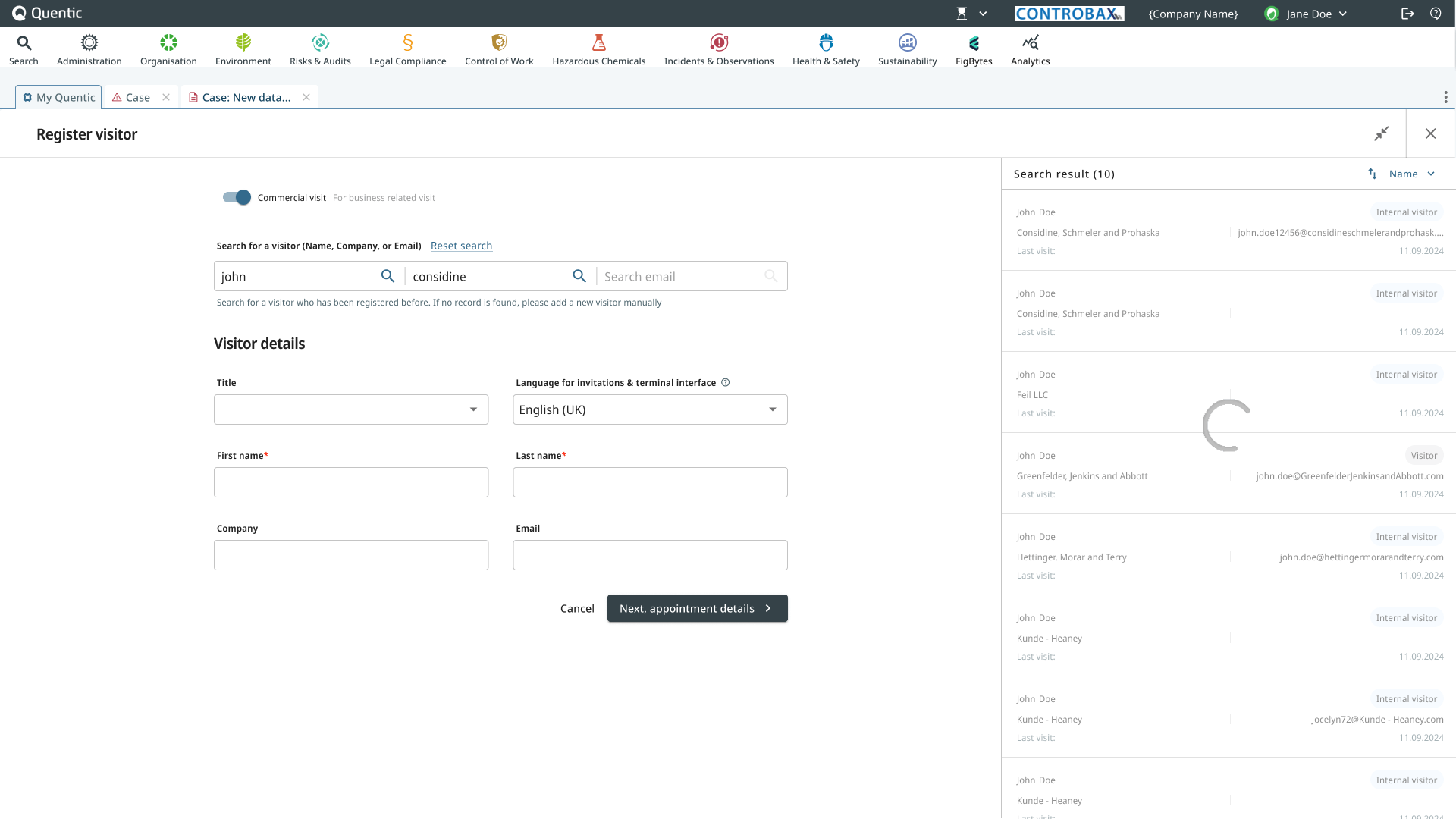
The Register Visitor feature in MyQ is a system for managing visitor check-ins. The goal of this project was to simplify visitor search and registration by making the process more intuitive, reducing confusion, and improving search results.
Shipped to all enterprise customers via the Modern Experience rollout — over 900 active tenants as of the February 2024 cutover, with full deprecation of the classic experience scheduled for mid-2026.
This redesign focused on:
- ✅ Modernizing the search experience
- ✅ Supporting flexible search across name, email, and company
- ✅ Supporting group visitor registration
- ✅ Enhancing compliance for GDPR and different regional needs
This redesign primarily benefits three user groups:
- 🕵️♀️ Admin & Gatekeepers: Responsible for managing visitor records, ensuring safety qualifications, and handling compliance.
- 🕵️ Employees Hosting Visitors: Need a simple and quick way to register guests for appointments.
- 🕵️ Visitors: Require a fast, smooth check-in process with minimal manual input.
The Problems
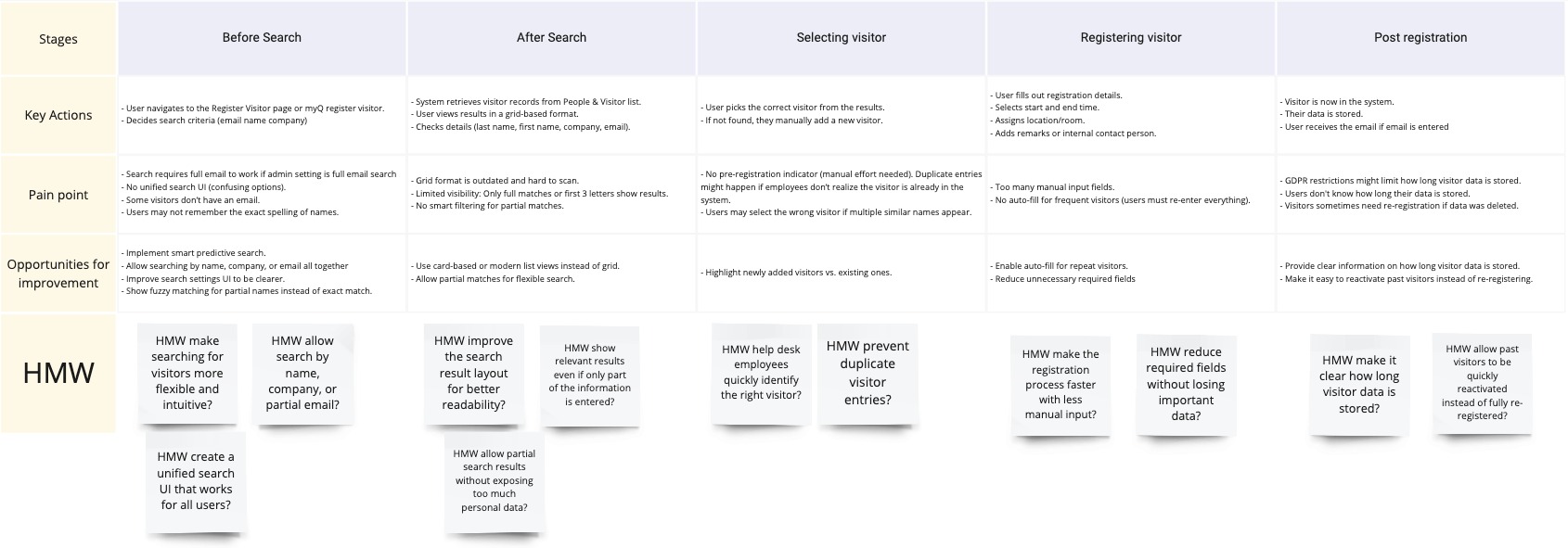
Through research and user feedback, we identified critical pain points in the existing system.
❌ Search experience issues
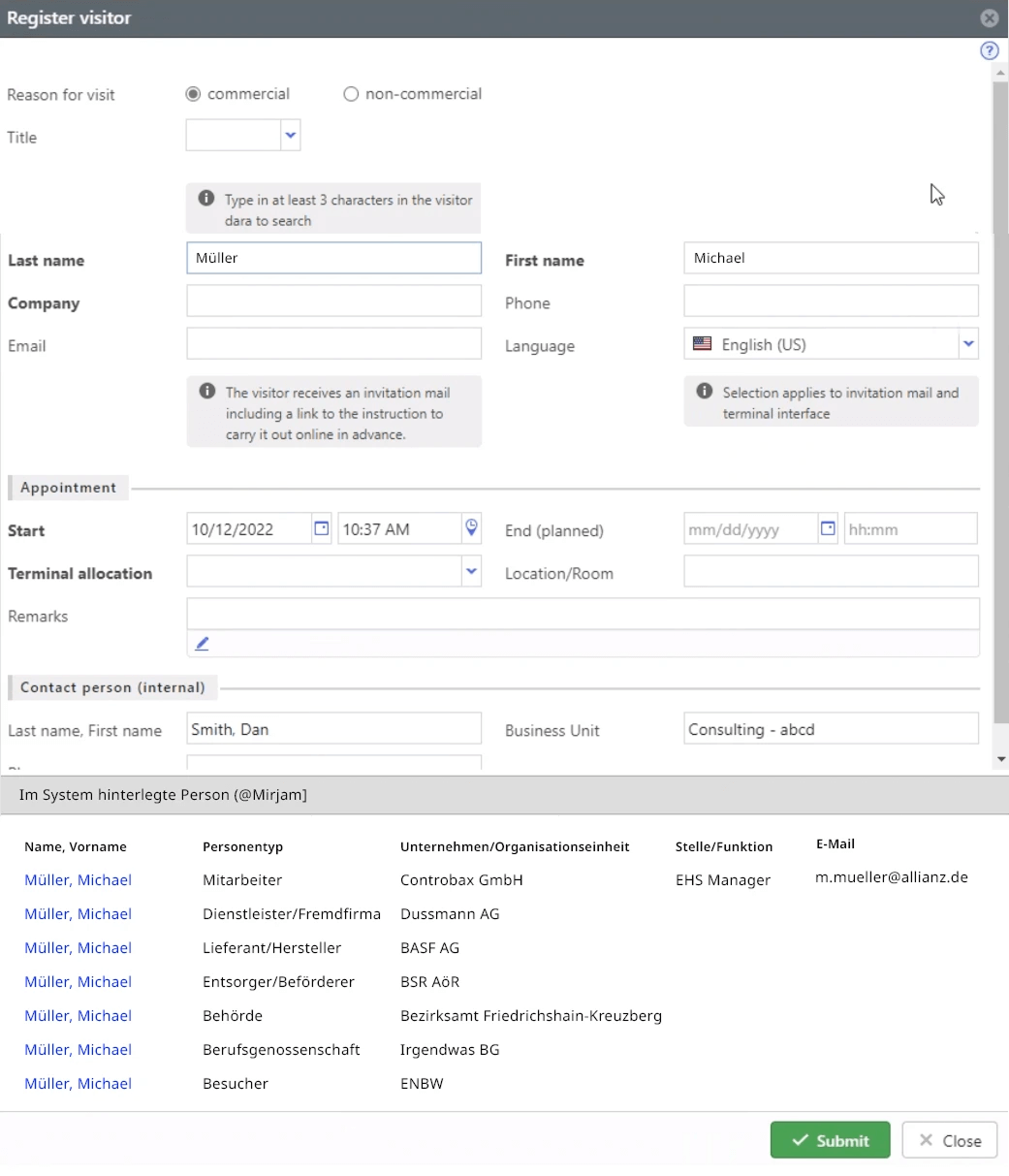
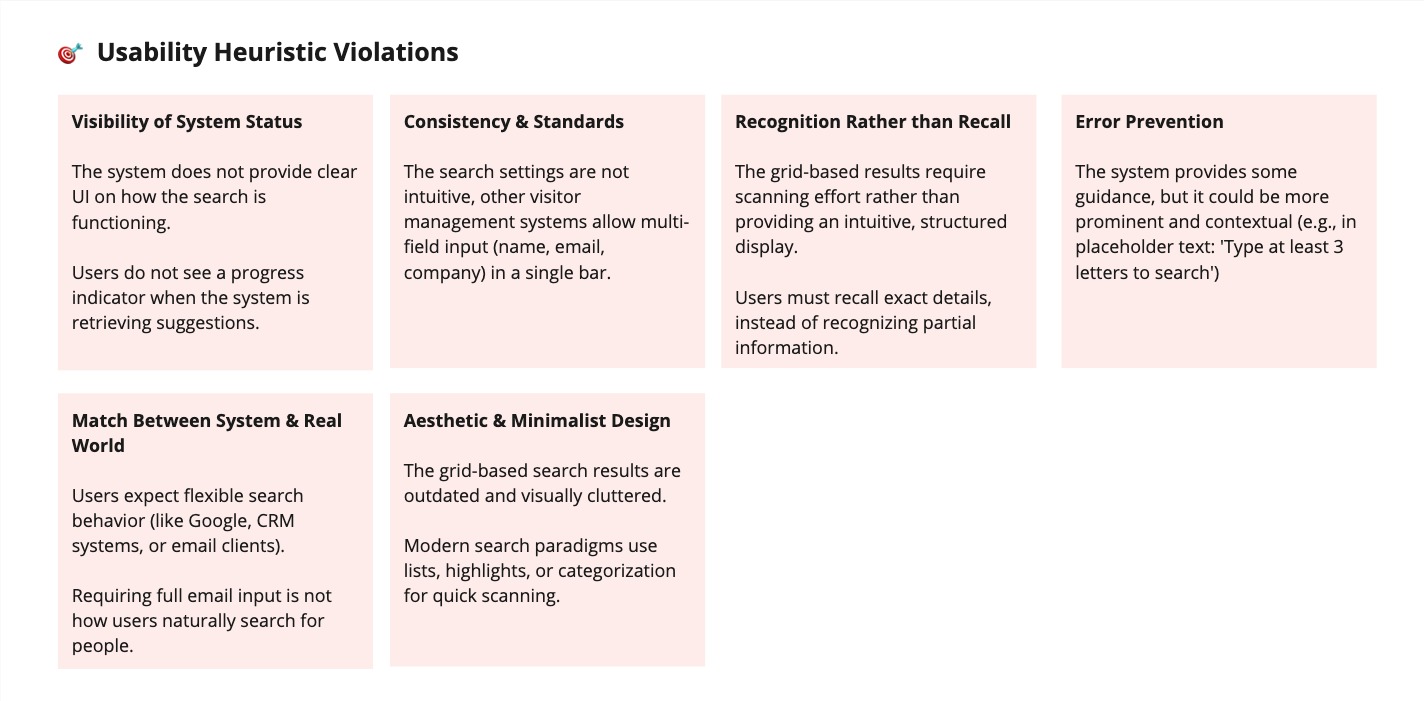
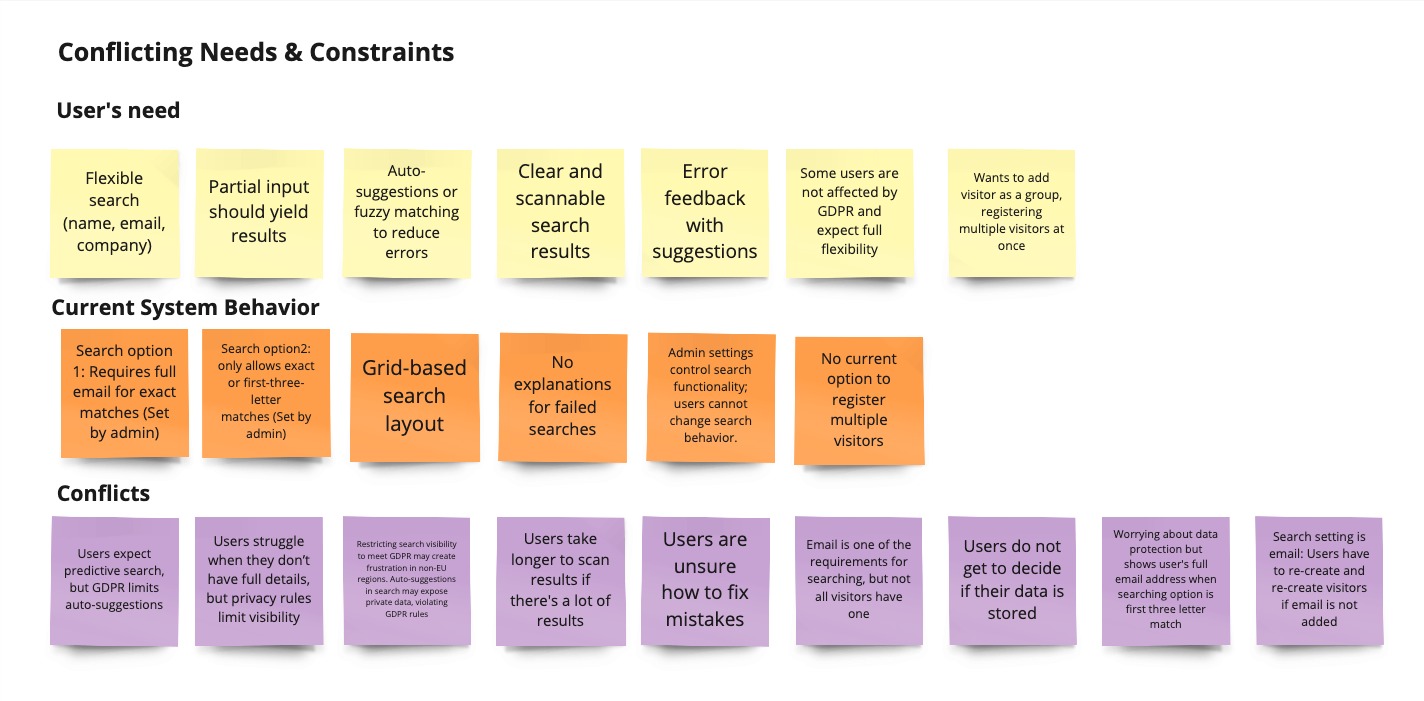
Two separate search options in settings (email-based + partial-name) created confusion; search only worked with exact or partial matches; no auto-suggestions or fuzzy matching. Pre-redesign analytics confirmed how broken this was: the new MyQ “Register visitor” entry point was used only 175 times by 121 unique users across 14 months — the lowest usage of any MyQ feature — while classic-view visitor registrations ran at 5,438 in a 7-week window. People were avoiding the new flow and falling back to classic.
❌ Manual & inefficient registration
No group registration; frequent visitors had to re-enter details manually. One customer told us their gatekeepers had built a workaround — registering each visitor with a single record instead of using factual appointment dates and times — because the proper flow was too slow to use during peak hours (600–700 visitors per high-season site).
❌ Privacy & compliance challenges
GDPR rules in Europe required strict data privacy that hid visitor details; US users expected open search visibility, conflicting with GDPR. A regional visibility toggle already existed in the product, but the search experience around it was clumsy. Part of this redesign was preserving and extending that control inside a search flow that worked for both regions, rather than re-inventing it.
Research & user journey
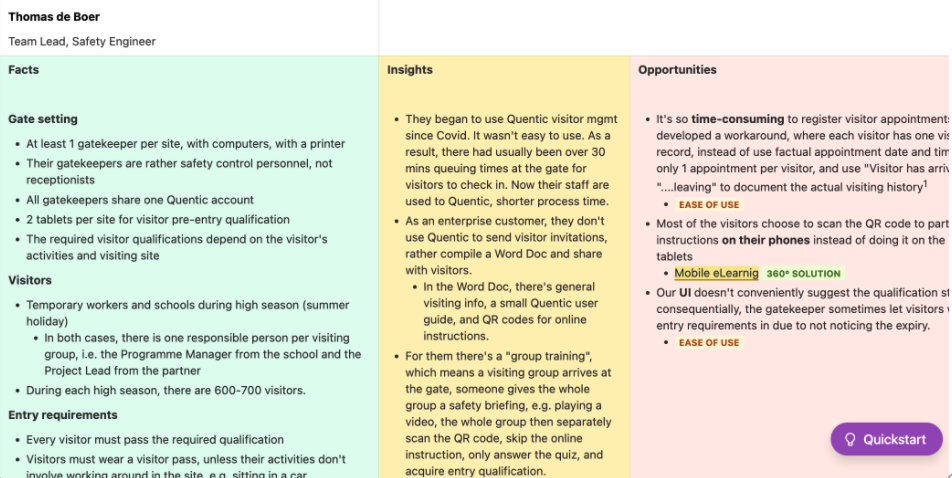
Research drew on interviews with safety engineers and gatekeepers at an enterprise customer site, including a Team Lead Safety Engineer who told us:
“Most of our visitors choose to scan the QR code with their own phone, instead of the provided tablets.”
Their site receives 600–700 visitors during summer high season, runs with at least one gatekeeper per gate (safety personnel, not receptionists), and shares a single account across all gatekeepers. Before adopting the platform, queues at the gate routinely exceeded 30 minutes per visitor; even after migrating, the registration flow itself was the bottleneck — to the point that the customer had built a workaround that compromised data quality, and gatekeepers were occasionally letting in visitors with expired qualifications because the UI didn’t surface qualification status clearly.
Gate setup & workflow
- Each site has at least one gatekeeper with a computer and printer, but they are safety personnel, not receptionists.
- One shared account is used by all gatekeepers.
- Visitor pre-entry qualifications vary depending on the visitor’s activities, making manual verification necessary.
Design process & iterations
HMW questions
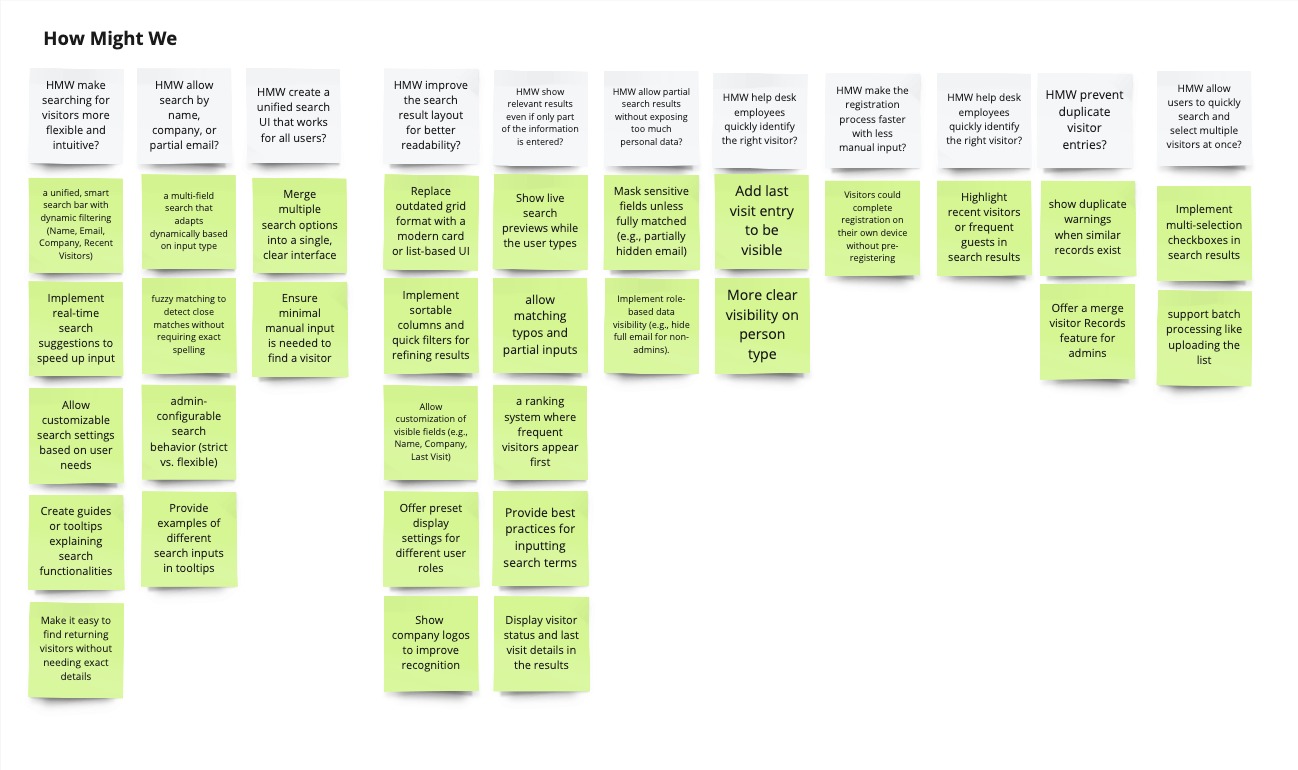
To ideate potential solutions, we asked:
- How might we make visitor search more flexible and intuitive?
- How might we allow admins to register multiple visitors at once?
- How might we improve search layout for better readability?
- How might we balance privacy and search usability across different regions?
Key design decisions
- ✅ Smarter search: Structured visitor database for faster lookup and history tracking
- ✅ Faster check-ins: QR-code self-registration to reduce manual processing
- ✅ Real-time suggestions & fuzzy matching: Partial input instead of exact matches
- ✅ Modern card-based results: Replacing cluttered grid format with structured, scannable results
- ✅ Multi-selection for group registration: Admins can register multiple visitors at once
- ✅ Privacy compliance settings: Toggle data visibility based on GDPR & regional policies
Ideation
1️⃣ Visitor search visibility settings
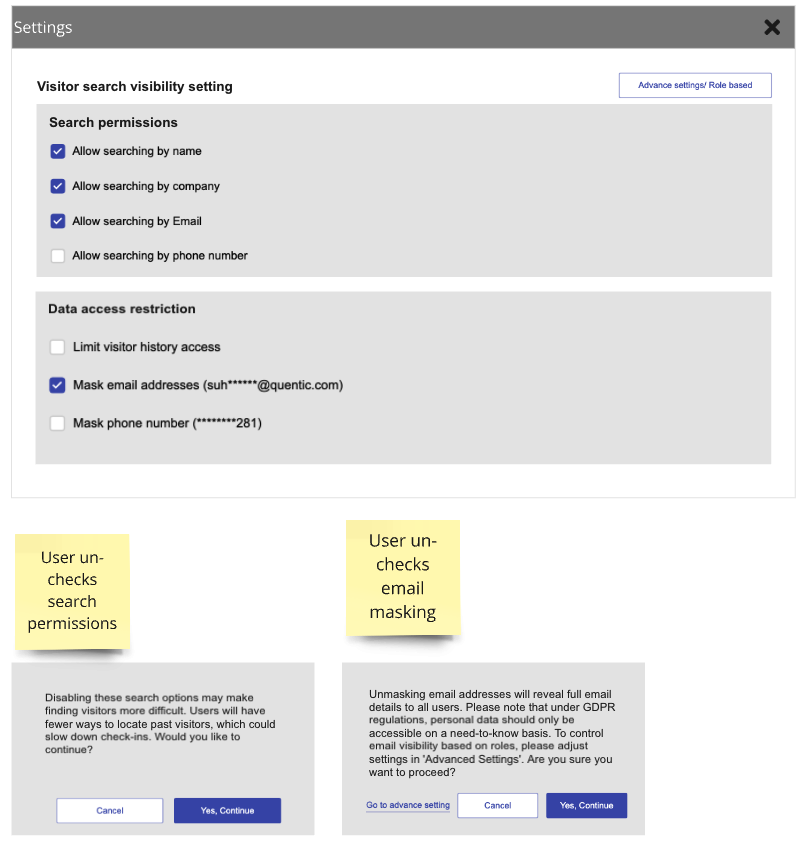
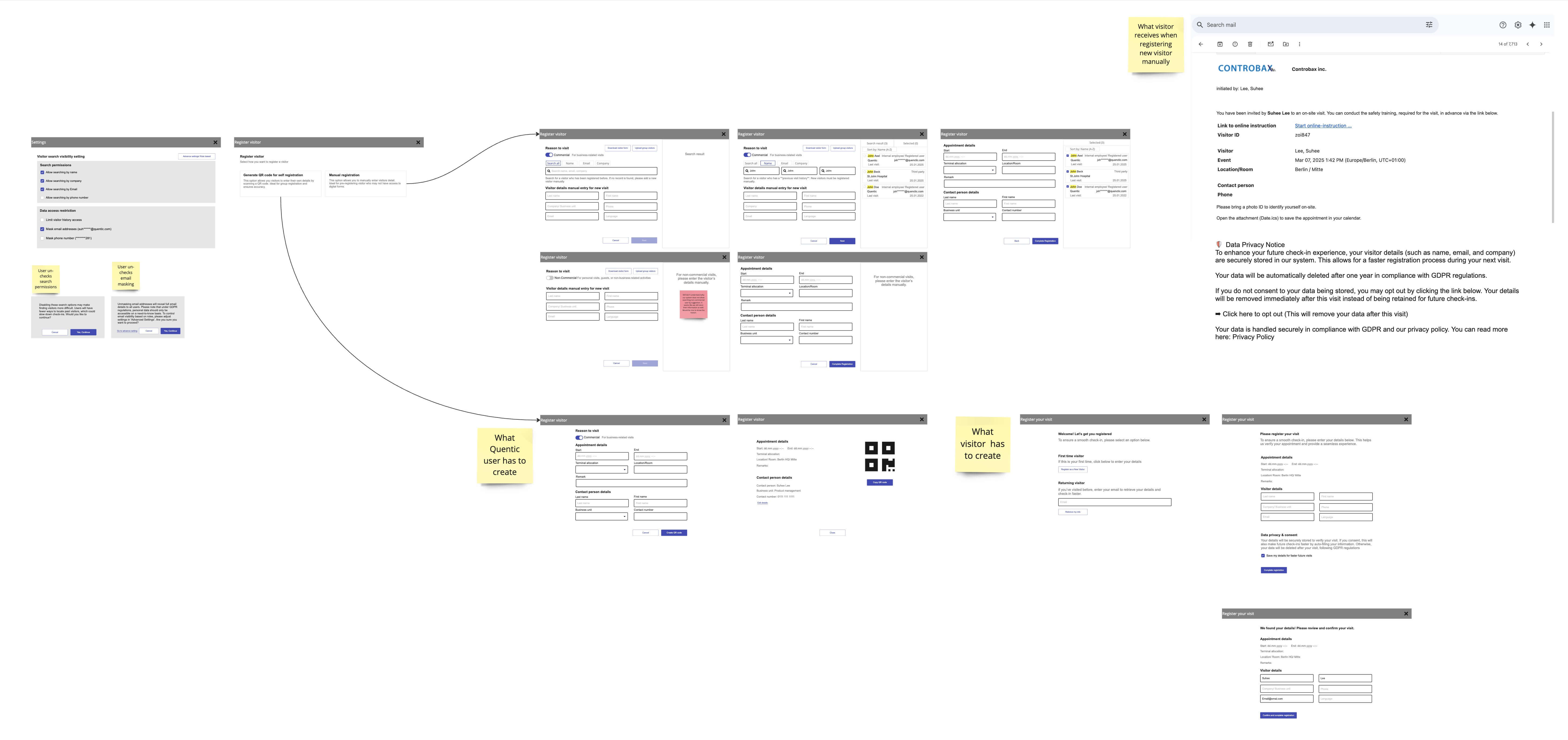
Understanding the problem: Users need flexible control over search permissions and data access while ensuring GDPR compliance. Some companies require full visibility; others must mask personal data.
Key design decisions
- Granular search permissions: enable/disable search by name, company, email, or phone
- Data masking controls: limit visitor history and mask email/phone for compliance
- Confirmation modals: prevent accidental changes
Expected impact
- ✔ Full admin control based on organizational needs
- ✔ GDPR compliance while keeping search flexible
- ✔ Reduced confusion about which visitor data is accessible
2️⃣ Register visitor: QR code & manual options
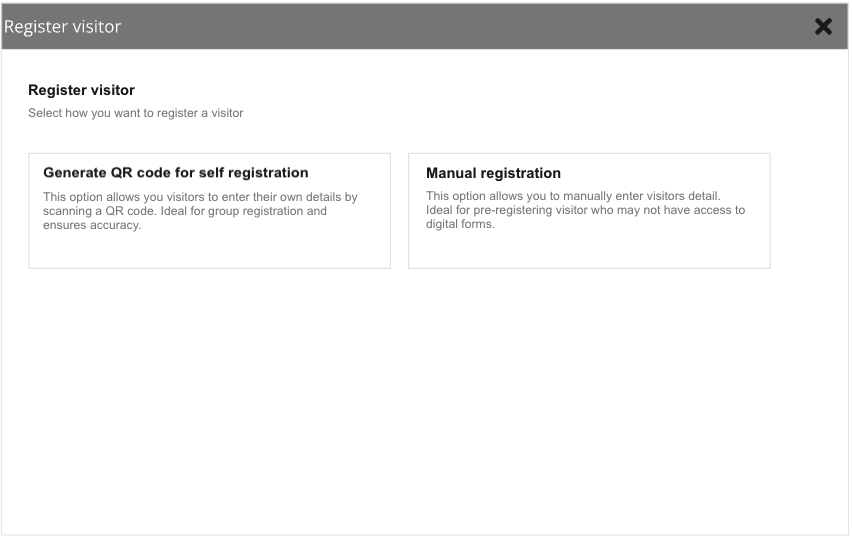
Understanding the problem: Companies needed multiple registration paths. Some visitors preferred self-registration; others needed manual admin input.
Key design decisions
- QR code self-registration reduces admin workload
- Manual registration retained for visitors without digital access
- Clear descriptions help admins choose the right method
Expected impact
- ✔ Saves time via automated entry
- ✔ Flexible for different visitor needs
- ✔ Higher accuracy by letting visitors input their own details
3️⃣ Register visitor: search
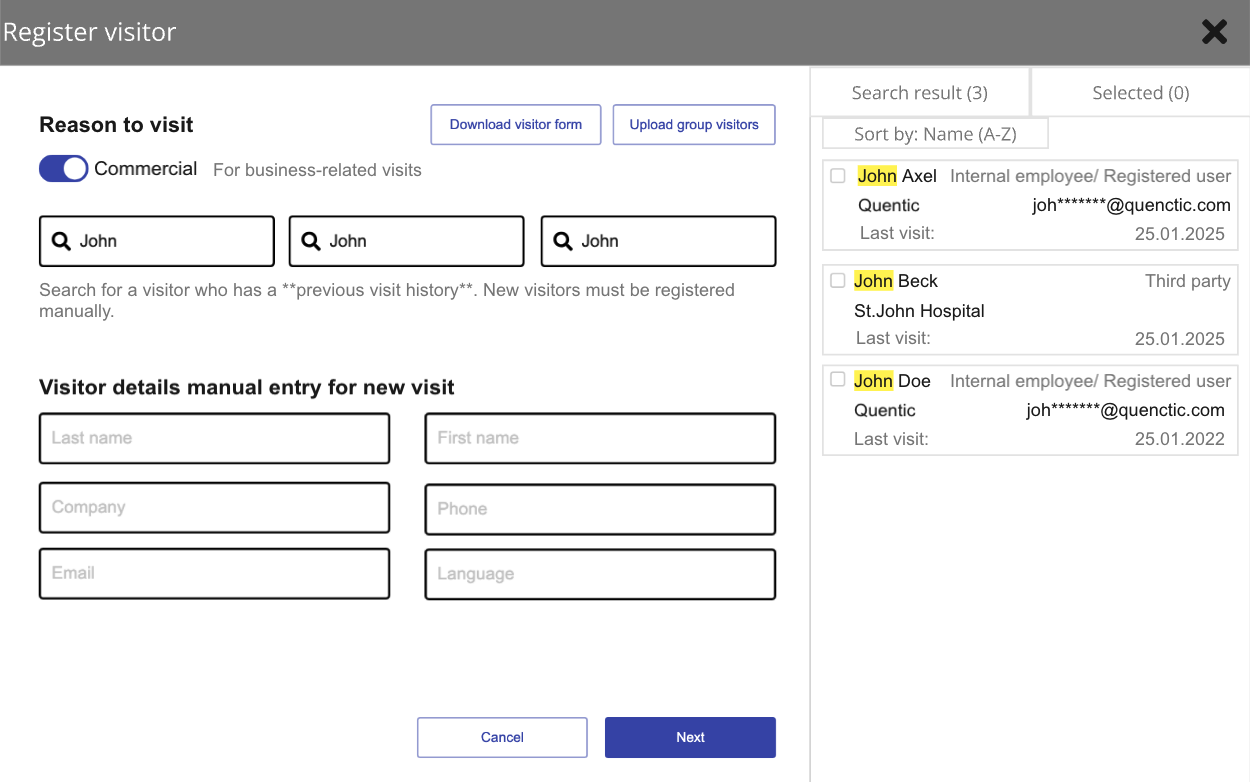
Key design decisions
- Three dedicated search inputs for targeted filtering
- Real-time results, no guesswork
- Masked emails for GDPR compliance
- Manual entry below results when a visitor doesn’t exist yet
Expected impact
- ✔ Reduces failed lookups
- ✔ Speeds up selection in large databases
- ✔ Eliminates unnecessary scrolling
Impact
Post-launch metrics — pulling from etracker, will update.
Update with: change in MyQ Register Visitor button usage compared to the 175-clicks/121-users baseline; reduction in search-related support tickets; gatekeeper time-to-register before vs after; group-registration adoption once that ships in Phase 2.
Next steps
- Phase 1: MVP & feedback: Deploy, collect quantitative data and qualitative feedback.
- Phase 2: Batch registration & group invites: Bulk visitor upload, group invitation flow.
- Phase 3: QR-based self-registration: Reduce admin workload, improve record accuracy.
- Phase 4: AI-powered search: Fuzzy matching and predictive suggestions.
Final thought
This redesign isn’t just about making visitor registration easier. It’s about making it smarter. By balancing search flexibility, automation, and compliance, the new system ensures that organizations can handle large-scale visitor management efficiently while maintaining security and trust.